Written by Ibrahim Bazed, Founder and CEO of Eagles Media Enterprises
A Google Business Profile suspended notice can stop a business owner in their tracks. Yesterday, customers could find the company on Google Search and Maps. Today, the listing may be unavailable, and the owner is wondering what happened to the calls, appointment requests and directions that used to come through it. Whether you operate a dental practice, med spa, limousine company, construction business or local retail store, losing access to a Business Profile is a serious disruption. As the founder of an SEO company and digital marketing agency, I believe the first priority is understanding the actual problem—not rushing into changes that might make an appeal more difficult.
A suspension does not automatically mean the business is fraudulent. It means Google has restricted a profile or account based on its policies or eligibility requirements. Sometimes the issue concerns an incorrect address or misleading business name. Other situations involve duplicate profiles, questionable location arrangements, ownership problems or an account-level restriction. The proper response depends on the reason Google provides and the evidence the business can produce.
This guide walks through the reinstatement process for different business types. It explains what to examine first, which documents can support an appeal, how the process works, what commonly goes wrong and how to prevent similar problems. It also includes specific guidance for limousine operators, whose airport pickups, service-area settings and dispatch locations can create unusual verification challenges.
Quick Answer: If your Google Business Profile is suspended or disabled, review the notice and sign in to the Google Account that manages the listing. Confirm the business meets Google’s eligibility and representation guidelines, then prepare evidence such as registration records, applicable licenses, tax documents or business utility bills. Submit an eligible appeal through Google’s official Business Profile appeals tool and follow the evidence instructions shown. Some appeal workflows require supporting evidence to be submitted within 60 minutes of opening the evidence form. Google says an appeal review can take up to five business days, although individual cases may require further action. Avoid creating replacement listings or submitting repeated appeals while a decision is pending.
Google Business Profile Suspended: What the Notice Actually Means
Before making changes, identify the status shown inside the Google Business Profile account. Not every visibility problem is a suspension.
A business might disappear from a particular search because its ranking changed, a verification request is pending, or Google has rejected a specific edit. Those situations differ from a suspended or disabled profile.
| Status or problem | What it generally means | Appropriate response |
|---|---|---|
| Suspended or disabled profile | Google has restricted the Business Profile | Review eligibility, policy issues and appeal options |
| Verification required | Google needs to verify the business or its information | Complete an available verification method |
| Rejected edit | A proposed change was not accepted | Review the specific edit and relevant support procedure |
| Account restriction | The managing Google Account has been restricted | Address the account restriction before proceeding |
| Duplicate profile | Multiple profiles may represent the same business | Determine the legitimate listing and follow duplicate-profile guidance |
| Reduced Maps visibility | The business may rank differently without being suspended | Check the account status before assuming a policy violation |
The distinction matters because a business owner can waste valuable time trying to appeal a suspension that does not exist.
Start with the actual dashboard notice or email. Determine whether the message concerns the profile, an individual content decision or the managing account. Save the date, the business information and the exact wording.
Google’s appeals interface may identify the moderation decision, the associated policy and whether that decision is eligible for appeal. Those details are more useful than guessing why the business disappeared.
Why the distinction matters for local customers
A Business Profile can help customers find a phone number, check operating hours, read reviews, get directions or visit a website. When it is restricted, some of that information may no longer be publicly accessible through the profile.
However, the business website is a separate asset. A suspended profile does not automatically remove a company’s organic website listings.
That is one reason I encourage owners to build a stronger online presence through both their Business Profile and their website. The two should reinforce each other, but a business should not rely entirely on one platform for customer inquiries.
For companies rebuilding broader search visibility, our nationwide SEO services explain the role of website content, technical improvements and relevant search demand.
Why Google Suspends Business Profiles
Google requires businesses to represent themselves accurately. Its guidelines cover eligibility, names, addresses, service areas, categories, contact information and the way businesses operate.
A legitimate company may still have information that conflicts with those requirements.
The business name does not match the real company
One common problem is adding search terms to a Business Profile name that are not part of the genuine business name.
For example, a company legally and publicly known as Oakwood Plumbing should not automatically describe itself as Oakwood Plumbing Best Emergency Plumber Chicago 24/7 merely because those words attract searches.
Google expects the name to reflect how the business is recognized in the real world, including its signage, stationery and branding.
A descriptive business category belongs in the category field. Service areas belong in their appropriate settings. Advertising language does not belong in the name field.
The address does not represent a real operating location
Google distinguishes between legitimate business locations, service-area businesses and ineligible addresses.
A business cannot simply rent a mailing address or use a virtual office to create the appearance of having a branch in a more valuable city.
A coworking location is subject to particular eligibility requirements, including appropriate signage, staffing and customer access during the stated hours.
A legitimate home-based service business may qualify for a profile while keeping its address hidden from the public.
The right configuration depends on where customers are actually served.
Multiple listings represent one operation
A company may accidentally accumulate profiles after changing agencies, moving locations or creating new service brands.
However, more profiles do not automatically create more legitimate business locations.
Google generally expects one profile per eligible location, with special rules for certain business structures, departments and individual practitioners.
Creating a separate profile for every service, nearby city or desired search keyword can lead to eligibility or duplication problems.
An account has been restricted
Sometimes the affected issue is not limited to one business listing.
Google can restrict an account, which may affect Business Profiles managed by that account. Its guidance explains that an account restriction must be addressed before certain profile-level appeals can proceed.
This is especially important for owners using outside agencies or multiple account managers.
The business does not meet eligibility rules
Google Business Profiles are designed for eligible businesses that interact with customers in person, either at a physical location or by traveling to customers.
An online-only store without in-person customer contact does not automatically qualify just because it has a website and a registered company.
For an e-commerce owner, building a compliant website and using appropriate shopping or advertising products may be more suitable than attempting to force eligibility for a local Business Profile.
The Reinstatement Checklist: What to Do Before Appealing
The most effective reinstatement preparation is an organized review of the business as it actually operates.
I would rather see an owner submit one carefully prepared appeal than submit a rushed request and discover afterward that the documents do not match the profile.
Step 1: Save the notice and identify the affected profile
Record the profile name, the relevant Google Account, the notice date and the policy or reason displayed.
If several people manage the profile, make sure the business owner understands who has primary ownership and who can access the appeal.
Do not give passwords to an unfamiliar person offering instant reinstatement.
Step 2: Check the business’s eligibility
Ask whether customers visit the company at its listed address or whether employees travel to customers.
A retail store with a staffed storefront has different location requirements from a residential cleaning company that travels to clients.
The correct configuration should reflect the actual business rather than a preferred search-ranking strategy.
Step 3: Review the business name and address
Compare the profile with the company’s genuine trading name, business registration, website and relevant documents.
Check whether the displayed address should be visible or hidden.
For a storefront, determine whether permanent signage and actual customer access support the location.
For a service-area business, confirm the location is genuine and its public address settings are appropriate.
Step 4: Review categories, phone numbers and website information
Select categories that accurately describe the primary operation.
A construction company should not choose unrelated categories merely to appear in more searches. Likewise, a limousine operator should not claim services it does not actually provide.
The website and telephone information should genuinely connect customers with the business.
Step 5: Look for duplicate or outdated profiles
Check for listings left behind after rebranding, moving or changing marketing providers.
Identify which profiles represent real, eligible locations and which may require a duplicate-profile review.
Do not delete or recreate profiles casually. The correct resolution depends on ownership, eligibility and Google’s available procedures.
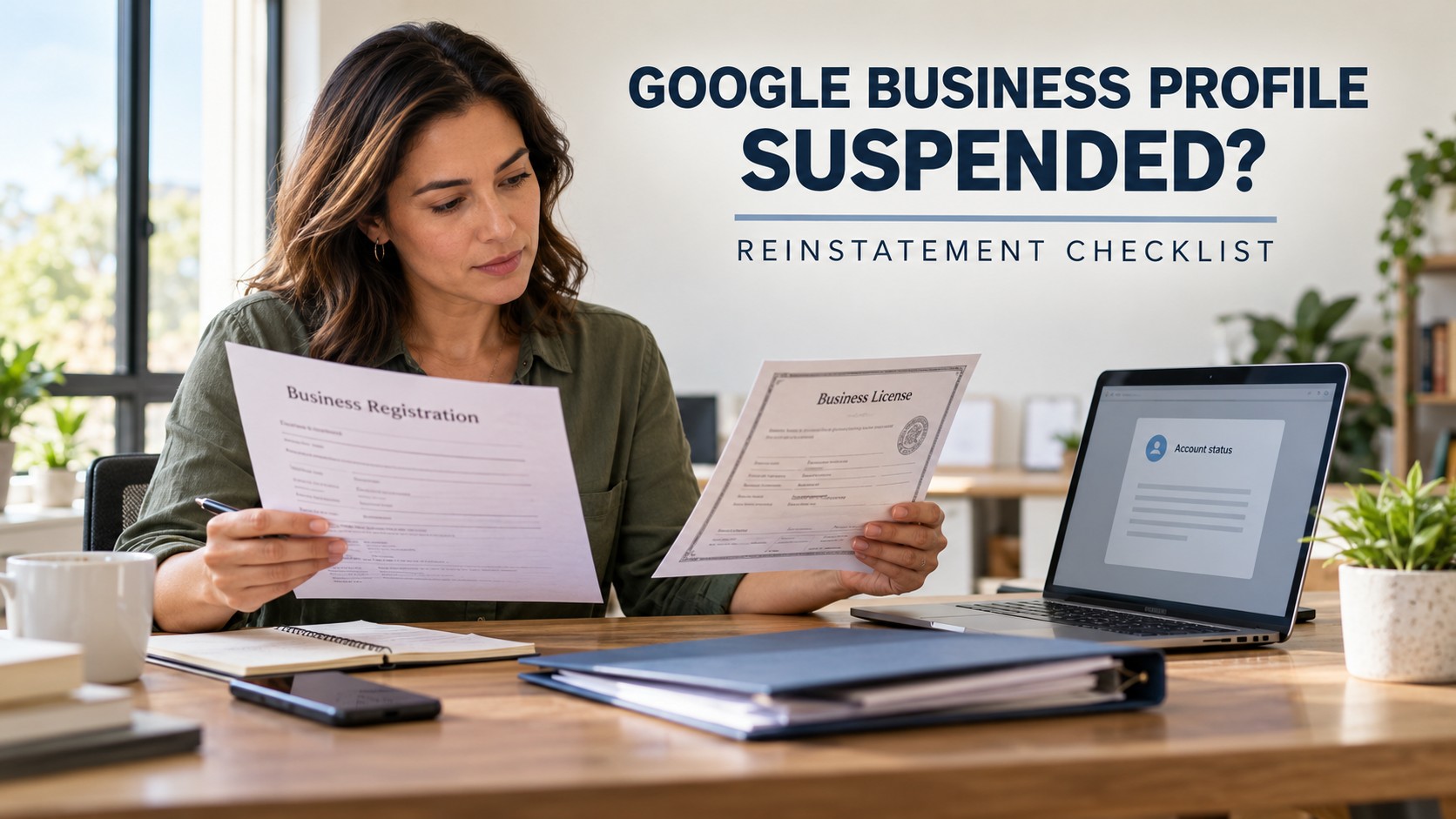
Step 6: Organize supporting documents
Collect documents that establish the business’s identity and physical operation.
Google identifies several categories of potentially useful evidence, including business registration, licenses, tax certificates and utility bills.
The most useful documents are those relevant to the reason for the restriction.
Step 7: Submit the appeal using Google’s official process
Use the appeals tool associated with the correct Google Account and profile.
Follow the instructions displayed for the particular case.
The process is designed to allow Google to evaluate a moderation decision. It is not a system for bypassing the underlying rules.
Google Business Profile Suspended: Which Documents Help?
Supporting evidence needs to establish a believable connection between the business’s real operation and the information shown in its profile.
A large folder of unrelated documents is not necessarily better than a smaller set that directly addresses the issue.
| Evidence | What it may establish | What to verify |
|---|---|---|
| Business registration | Legal existence and registered name | Names and locations are accurate |
| Business license | Authority to operate where applicable | Current and appropriate to the activity |
| Tax certificate | Official business identity | Information supports the profile |
| Utility bill | Connection to an operating location | Business name and address match |
| Lease or occupancy document | Legitimate location arrangements | The location is genuinely used |
| Permanent signage | Storefront identity | Name is consistent with the profile |
| Business equipment or vehicles | Evidence of real operations | Relevant to the business model |
| Website and contact information | Public identity and customer communication | Consistent, genuine and accessible |
Google specifically lists registration records, licenses, tax certificates and business utility bills as examples of evidence that can strengthen an appeal.
Other items may help explain the operation, but their acceptance depends on the case and the workflow offered.
A business owner should not submit sensitive documents to a third-party website simply because that website claims to offer a reinstatement service.
Use official Google channels for the appeal and follow the platform’s submission instructions.
What if documents use slightly different names?
A business’s registered legal name may differ from its genuine public trading name.
That does not automatically establish a violation, but unexplained discrepancies can make the facts harder to evaluate.
Where appropriate, supporting records should explain the relationship between the legal entity and the trading name.
Do not invent a document, alter a registration certificate or add a fictitious address to make the information match.
The goal is to document the real business accurately.
How to Submit a Google Business Profile Reinstatement Appeal
Google’s official appeals process should be the starting point for an eligible suspension or disabled-profile case.
While the exact interface can vary by account, location and type of restriction, the process generally involves selecting the affected Business Profile, reviewing the moderation decision and submitting the appeal with any available supporting evidence.
Use the correct account
Sign in with the Google Account that owns or manages the affected profile.
If a previous employee or agency controls the listing, address the account-access situation instead of immediately creating a competing listing.
Review the decision before submitting
The appeals tool can display relevant details, including the policy involved and whether the action can be appealed.
Read the available information carefully.
A location-related restriction requires a different explanation from an account restriction or an unsupported business model.
Prepare evidence before opening the submission workflow
Do not start an evidence-upload process while documents are scattered across several email accounts.
Google has described a 60-minute deadline for submitting evidence when an appeal uses its separate linked evidence form. Other versions of the appeal interface allow supporting evidence to be attached before final submission.
Follow the deadline and workflow actually displayed in your account.
A sensible preparation folder might include registration records, the applicable operating license, a suitable utility document and a short explanation of any legitimate differences between the company name and its registered entity.
Explain the facts clearly
An effective explanation does not need to be dramatic.
State what the business does, where it legitimately operates, whether customers visit the address or receive service elsewhere, and what information has been corrected or documented.
For example, a home-based cleaning business could explain that its employees travel to customers and that its residential address is not presented as a public storefront.
Only make statements that are accurate for the business.
Check the appeal status
Google allows users to check the status of an eligible appeal through its appeals tool.
According to its published guidance, a review can take up to five business days, although some situations may require additional steps or further review.
A five-business-day review estimate is not a reinstatement guarantee.
Do not submit multiple appeals for the same pending decision.
Why I Do Not Promise a 48-Hour Reinstatement
Some marketing companies advertise rapid reinstatement as though Google operates a guaranteed emergency repair service.
That is not how Google’s published appeal process works.
A consultant may help the business organize information promptly. The owner may be able to identify and correct obvious problems within a day. But neither of those achievements guarantees that Google will approve the appeal by a particular deadline.
Google makes the decision.
A promise that a listing will return in 24 or 48 hours confuses the consultant’s preparation time with Google’s review and moderation process.
I prefer to set realistic expectations. The useful questions are whether the business is eligible, whether its details follow the rules, whether the evidence is complete and whether the correct appeal procedure has been followed.
Those are matters the business can influence.
The final decision and timing remain outside any agency’s control.
Special Considerations for Limousine and Black Car Companies
Ground transportation deserves its own section because the business model creates location questions that are not always obvious to the average operator.
A limousine company may serve several airports, operate vehicles from a garage, dispatch from a small office and pick passengers up at hotels or private addresses. None of those facts means every airport, hotel or city qualifies as a separate business location.
Airport service does not create an airport office
A limousine company can serve O’Hare, Midway, Newark or another airport without maintaining a customer-facing office at that airport.
Offering airport pickups does not establish that the operator has a legitimate Business Profile location inside the terminal or at a nearby rented mailing address.
The profile should represent the company’s actual eligible business location.
Its service area can describe where it travels to customers, within Google’s applicable guidelines.
A dispatch office is not automatically a storefront
Some operators have an office where employees answer phones and coordinate vehicles, but customers never visit.
Others operate from a home office or garage.
The owner needs to determine whether the operation is a storefront, a service-area business or a legitimate hybrid.
Google’s guidance requires service-area businesses that do not receive customers at their location to hide the address from public display.
A home-based operation does not automatically need to rent a storefront simply to qualify for a service-area profile.
The business must still demonstrate that it genuinely operates where it says it does.
Multiple brands need a genuine business distinction
A transportation operator may own a limousine brand, black car brand and party bus brand.
That ownership structure does not automatically justify multiple listings at one location.
Each proposed profile must independently satisfy Google’s business-representation and eligibility requirements.
Different websites or domain names alone are not enough to establish separate eligible businesses.
The company should review its legal structure, real-world branding, staffing, operating locations and customer interaction before deciding which profiles are legitimate.
Transportation licenses can help explain the business
Depending on the jurisdiction and the company’s operation, applicable transportation documents may include state or local licenses, permits and relevant commercial operating records.
They can help establish that a transportation business is genuine, although they do not automatically resolve every Google eligibility question.
A vehicle parked at an airport is not proof of an airport office.
A permit authorizing an activity is also not the same as proof that customers can visit a particular address.
How to approach the appeal
A limousine operator should explain the actual dispatch or operating location, whether the address is shown or hidden, the company’s recognized business name and the services it legitimately provides.
The evidence should be consistent with those facts.
The same principles apply to a chauffeur-driven sedan operator, SUV transportation business, group transportation company or specialized event carrier.
Eagles Media Enterprises works with transportation businesses on website visibility and digital marketing. Our limo and black car company marketing services address the broader online presence that supports legitimate transportation operators.
How Suspension Rules Differ by Industry
A universal appeal checklist is useful, but the documentation and business model must still make sense for each industry.
Dental and medical practices
A dental practice generally has a recognizable office where patients receive treatment.
Its Business Profile should accurately represent the practice, location and services.
Complications may arise when several practitioners or departments share one address. Google has special rules for certain individual practitioners and departments, so multiple listings require careful eligibility review.
A healthcare practice should never disclose patient records as evidence of business operations.
Business registration, professional licensing and appropriate location documents are much more relevant.
For practices evaluating their wider search presence, our dental SEO services cover website and local visibility considerations beyond the profile itself.
Med spas and aesthetic clinics
Med spas may have medical professionals, aesthetic services and distinct ownership arrangements operating under one roof.
A profile should accurately describe the business the public encounters.
Do not create separate profiles for every treatment or service category.
If multiple practitioners or businesses share a facility, each listing must independently satisfy Google’s requirements.
Appropriate business and location records can help explain the organization. Private client information should remain confidential.
Our med spa digital marketing services address the related challenge of attracting qualified inquiries through compliant, informative marketing.
Construction and home-service companies
Contractors, cleaning services, HVAC companies and other mobile businesses often travel to customers.
A company operating from a home office may qualify as a service-area business, even when it does not maintain a public showroom.
The important question is whether the business has a genuine operating location and provides eligible in-person services.
A rented mailbox in an expensive suburb is not a replacement for a legitimate operating address.
Contractors should also avoid creating separate Business Profiles for every city they serve unless each location independently meets Google’s eligibility requirements.
For related website and search planning, see our construction company SEO services.
Retail stores and restaurants
A storefront business should use its real customer-facing location, provide accurate hours and maintain appropriate signage.
Temporary changes, relocations or ownership transfers should be handled through the relevant Business Profile processes rather than creating unnecessary duplicate listings.
The location represented online should correspond to where customers can actually visit.
E-commerce and online-only businesses
An online retailer with no qualifying in-person customer interaction generally does not qualify for a Google Business Profile simply because it sells to customers in a particular city.
A warehouse or mailing address used only to fulfill online orders should not be presented as a public storefront without meeting the relevant requirements.
This is an important distinction.
A digital business can still invest in its website, product visibility and other appropriate Google products without claiming an ineligible local presence.
Video Verification: How to Prepare Without Creating New Problems
Some businesses are asked to verify their operations through a video recording.
This process is related to verification and is not necessarily the same as appealing a suspended profile.
Google’s published instructions require the recording to be made live through the Business Profile workflow, using a mobile device. The video must be continuous, unedited and at least 30 seconds long.
It should help establish the actual business location, the existence of the operation and the person’s authority to represent it.
For a storefront
Google may expect the recording to show the surrounding location, permanent signage and an element demonstrating management of the premises.
The information must match the business being verified.
A temporary printed sign or an unrelated building does not establish the same facts as a genuine operating storefront.
For a service-area business
A business that travels to customers may need to show its operating location, equipment, documents or other relevant materials.
Google’s instructions give examples such as business tools, workspace, branded vehicles and proof of management.
A service-area business does not necessarily need a public storefront or permanent storefront sign.
Protect sensitive information
The verification video should not expose bank details, personal identification numbers or unrelated private information.
Google also instructs businesses to avoid recording other people’s faces.
Business owners should follow the exact verification instructions shown in their account rather than copying a video demonstration from a different type of company.
Mistakes That Can Delay a Reinstatement
Most business owners want to solve a suspension quickly. Unfortunately, some reactions can make it harder to identify or resolve the underlying problem.
Creating a replacement profile is one of the most important mistakes to avoid. Google’s guidance specifically warns against creating a new profile for the same business during a pending appeal.
Other common problems include:
Submitting an appeal before checking whether the address or business model meets the rules.
Using business names or documents that are inconsistent without explaining the differences.
Listing a mailbox or unsupported virtual office as a real storefront.
Sending repeated appeals while an initial decision is pending.
Assuming an agency can guarantee approval or a particular turnaround time.
Providing unrelated evidence instead of documents that support the actual business.
Confusing a video-verification problem with a suspended-profile appeal.
The underlying principle is straightforward: address the reason for the restriction, not merely its effect on search visibility.
Why excessive profile editing is not a strategy
Changing the business name, address, categories and website repeatedly is not a substitute for understanding the issue.
Some legitimate edits may be necessary, but they should accurately reflect the business.
Owners should keep a record of significant changes and prepare a clear explanation when the appeal requires one.
What Happens If Google Denies the Appeal?
An unsuccessful appeal is disappointing, but it does not automatically mean every possible review option has been exhausted.
Google provides a process through which some denied reinstatement requests may be considered for an additional review.
Eligibility depends on the specific case.
The business should first read the decision and identify whether the explanation reveals a missing document, eligibility issue or conflicting information.
If an additional review is available, provide genuinely useful new evidence rather than repeating the original appeal without changes.
For example, if the first submission did not establish the relationship between a trading name and the registered business, the additional material might address that gap.
A denied appeal should not be treated as permission to create another profile for the same operation.
When the business model itself is the problem
Some issues cannot be resolved simply by collecting more paperwork.
A business using an ineligible virtual address may need to correct its operating arrangements and profile details.
An online-only company that does not qualify for a Business Profile cannot establish eligibility by submitting an attractive website or a registration certificate.
The question is whether the operation meets the platform’s requirements.
If it does not, the responsible advice is to explain that limitation rather than promise a workaround.
How to Prevent Another Profile Suspension
Once a profile has been reinstated, its information should remain accurate.
The strongest prevention strategy is not complicated. It requires consistent business records, responsible account management and periodic review.
Maintain an accurate business identity
Use the real business name and appropriate categories.
If the company changes its name, location or operating structure, update relevant records and follow Google’s current procedures.
Manage access carefully
Business owners should retain appropriate control over their Google Business Profile.
An outside marketing provider may help manage the listing, but the owner should know who has access and how that access is maintained.
Remove unnecessary access when employees or vendors leave.
Keep location details legitimate
For a service-area company, confirm whether the address should remain hidden.
For a storefront, keep operating hours and customer-facing location information accurate.
Do not use rented mailing locations to imply branches that do not exist.
Follow review policies
Reviews must comply with Google’s policies against fake or incentivized engagement.
Businesses should not buy reviews, invent customers or offer improper incentives for positive ratings.
An authentic reputation is more useful in the long term than manipulating a review count.
Keep the website aligned
The company’s website should describe the same genuine operation represented by the Business Profile.
Business names, contact information and public location details should be coherent.
For companies building a stronger online presence, our Google Business Profile management service covers ongoing profile maintenance and local visibility.
Develop other channels for discovery
A Business Profile is valuable, but the company website, direct referrals and other legitimate marketing channels remain important.
A business should not depend on one listing for every incoming inquiry.
Clear website information, useful service explanations and genuine customer trust can support both traditional search and AI-assisted discovery.
Our answer engine optimization services explain how businesses can make their information easier to understand across evolving search experiences.
A Practical Checklist Before You Submit an Appeal
Use this checklist after reviewing the moderation notice and before submitting an eligible appeal.
Confirm whether the issue is suspension, verification, rejected content or an account restriction.
Use the Google Account associated with the affected profile.
Review Google’s current eligibility and representation guidelines.
Confirm the real-world business name.
Check whether the address and service-area settings match the actual operation.
Identify any duplicate or outdated business profiles.
Review categories, phone number and website information.
Gather relevant registration, licensing and tax records.
Prepare suitable business utility documents when available.
Explain legitimate differences between legal and public trading names.
Prepare a concise statement of the relevant facts.
Follow the evidence-upload process and deadlines shown in the account.
Submit the appeal through Google’s official procedure.
Keep the appeal confirmation and monitor the status.
Avoid submitting unnecessary additional appeals while a decision is pending.
If denied, review the decision and determine whether an additional review is available.
The goal is to make one organized submission supported by accurate evidence.
No checklist can guarantee an approved appeal, but preparation helps owners avoid preventable mistakes.
Frequently Asked Questions About Suspended Google Business Profiles
1. What does a suspended Google Business Profile mean?
A suspension means Google has restricted a business listing because of a policy, eligibility or related account issue. The effect depends on the type of restriction. Business owners should check their actual account notice and available appeal options.
2. Why would Google suspend a legitimate business?
A genuine company may still have profile information that conflicts with Google’s guidelines. Examples include an unsupported address, inaccurate business name, duplicate listing or incorrect representation of how the company operates. The exact reason should be evaluated individually.
3. How long does reinstatement usually take?
Google says an appeal review can take up to five business days. Some cases may require additional review or corrective action. No marketing company can guarantee that a suspension will be reversed within a specific number of hours.
4. What documents should I prepare for reinstatement?
Relevant evidence may include business registration, licensing documents, tax certificates and business utility bills. The documents should accurately support the business identity and operating location represented by the profile.
5. How do I appeal a suspended Business Profile?
Use Google’s official Business Profile appeals tool while signed in to the appropriate account. Select the affected profile, review the moderation decision, follow the available submission procedure and provide supporting evidence where appropriate.
6. What happens if my first appeal is denied?
Read the decision and review any unresolved eligibility or documentation issues. Google may offer an additional review process for certain denied reinstatement requests. Supply relevant new evidence if that option is available.
7. How can a home-based service business qualify for Google Maps?
A genuine service-area business that travels to customers may qualify even if it operates from a home office. The profile should follow Google’s service-area requirements, including hiding the address when customers are not served there.
8. What should a limousine company do if it serves several airports?
The company should represent its legitimate operating location and appropriate service area. Serving multiple airports does not automatically permit separate airport-based listings or justify using terminal addresses as business offices.
9. Why can a virtual office cause a suspension?
Google requires eligible business locations to represent genuine operations. A rented mailing address or virtual office that does not satisfy the applicable requirements cannot simply be presented as a staffed storefront.
10. What is required for business video verification?
Google may ask for a continuous, unedited recording made through the Business Profile workflow. Depending on the business type, it should demonstrate the operating location, the business’s existence and the person’s authority to represent it.
11. How should a business handle duplicate listings?
Identify the legitimate eligible profile and review Google’s duplicate-profile procedures. Avoid creating further listings or deleting information without understanding the ownership and status of the existing profiles.
12. How can an owner reduce the risk of future suspensions?
Maintain accurate business information, use legitimate locations, follow Google’s review policies, control account access and keep the website consistent with the real-world operation. Recheck the profile when the business changes its name, address or structure.
Getting Your Business Back on the Map Starts With Accurate Information
When a Google Business Profile suspended notice appears, it is understandable to feel that every hour matters. For a business that depends on local calls and appointments, visibility is closely connected to daily operations.
But the best path forward is not to rush through forms or look for a guaranteed workaround.
It is to identify the exact restriction, confirm that the company meets Google’s guidelines, prepare relevant evidence and follow the official process.
For limousine companies, that may mean correcting how a dispatch location or service area is represented. For healthcare practices, it may mean documenting a genuine office or practitioner arrangement. For home-service businesses, it may involve properly configuring a service-area profile. Other industries will have their own operational details.
The business model determines what proof makes sense.
Ibrahim Bazed and the Eagles Media Enterprises team help owners understand how their Business Profiles, websites and broader marketing systems work together. Our approach is to identify the underlying issue rather than promise results no outside agency can guarantee.
If your profile has been restricted and you need help reviewing your online presence, our team can discuss the situation and the documentation requirements that may apply.
Need Help Reviewing Your Google Business Profile?
Call (708) 526-8484 or visit our contact page to explain the issue. We can discuss the profile status, business details and appropriate next steps. Reinstatement remains subject to Google’s rules and review decisions.
About Ibrahim Bazed
Ibrahim Bazed is the Founder and CEO of Eagles Media Enterprises, bringing more than 15 years of experience across digital marketing and business development. His work spans transportation, healthcare and med spas, construction and home improvement, e-commerce, wholesale and distribution, and professional services. He is a member of the National Limousine Association and the Illinois Limousine & Bus Association and a recipient of an Arab Excellence Award.
Address: 400 Ravinia Place, Suite B, Orland Park, IL 60462
Phone: (708) 526-8484
Email: info@eaglesmediaenterprises.com
Contact: https://eaglesmediaenterprises.com/contact-us/
Official Sources Used for This Guide
The following Google Help resources were used to confirm the procedures and policies described above:
Google Business Profile Help — Fix Suspended or Disabled Profiles
Google Business Profile Help — Appeal Business Profile Content & Profile Restrictions
Google Business Profile Help — Guidelines for Representing Your Business on Google
Google Business Profile Help — Business Eligibility and Ownership Guidelines
Google Business Profile Help — Verify Your Business With a Video Recording
Google Business Profile Help — Business Profile Restrictions for Policy Violations
Policies and appeal interfaces can change. Business owners should use the latest Google Help guidance and instructions displayed in their own accounts.